Self-Hosting My Music Library with Navidrome
In this blog post I'm walking through how I self-host my music library and migrated my spotify playlists into my own navidrome instance. This covers the full stack: server setup, docker deployment, spotify playlist migration, and remote access over tailscale.
Hardware and Cost
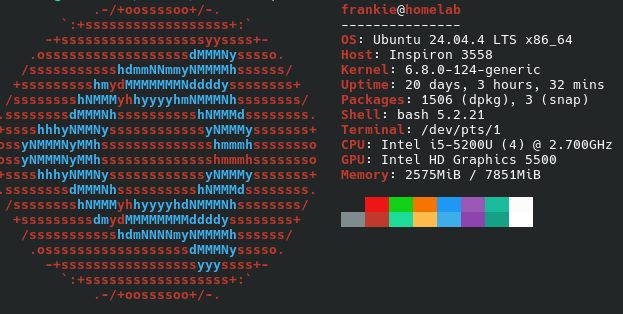
The server is a repurposed Dell Inspiron 3558 running headless Ubuntu Server 24.04. Specs: Intel i5-5200U (Broadwell, 2C/4T at 2.2GHz base/2.7GHz boost), 8GB DDR3-1600, and the 1TB 5400RPM HDD it came with. It's nothing crazy, in fact this device isn't powerful whatsoever, but navidrome's resource footprint is minimal. At idle it barely registers. Total operating cost is around $12/year in electricity running 24/7, compared to $155.88/year (based on $12.99 monthly subscription) for Spotify Premium.
Deployment
I'm using Docker Compose. Start by installing dependencies:
sudo apt update && sudo apt install docker.io docker-compose
Create the project directory:
sudo mkdir -p ~/docker/navidrome && cd ~/docker/navidrome
Create compose.yml:
services:
  navidrome:
    image: deluan/navidrome:latest
    container_name: navidrome
    restart: unless-stopped
    ports:
      - "0.0.0.0:4533:4533"
    environment:
      ND_SCANSCHEDULE: 1h
      ND_LOGLEVEL: info
      ND_SESSIONTIMEOUT: 24h
      ND_BASEURL: ""
    volumes:
      - ./data:/data
      - /mnt/music:/music
A few notes:
ND_SCANSCHEDULEcontrols how often Navidrome rescans your music directory for new files.1his fine for a library you're actively adding to.- Bind the music volume to wherever your FLAC/MP3 files live. I keep mine on the 1TB HDD mounted at
/mnt/music. - If you're reverse proxying through Nginx or Caddy, set
ND_BASEURLto your subpath (e.g./music) and expose it there instead of binding to0.0.0.0.
Bring it up:
docker compose up -d
The web UI is available at http://<server-ip>:4533. First login creates the admin account.
Music Acquisition and Playlist Migration
Soulseek is a P2P network with a large library of lossless music. I used Nicotine+ as the GUI client for manual searches, but the real workhorse for migration was automating the Spotify-to-Soulseek pipeline:
- Export Spotify playlists to CSV using Exportify. This gives you structured data: track name, artist, album, duration.
- Feed the CSVs into slsk-batchdl, a CLI tool that takes a playlist or CSV and queries Soulseek automatically, preferring FLAC where available.
slsk-batchdl --input playlist.csv --format flac --output /mnt/music
slsk-batchdl handles fuzzy matching against Soulseek search results and skips already-downloaded tracks, so you can re-run it as your library grows without duplicating files.
Once files land in /mnt/music, Navidrome picks them up on the next scheduled scan or you can trigger a manual rescan from the admin panel.
Clients
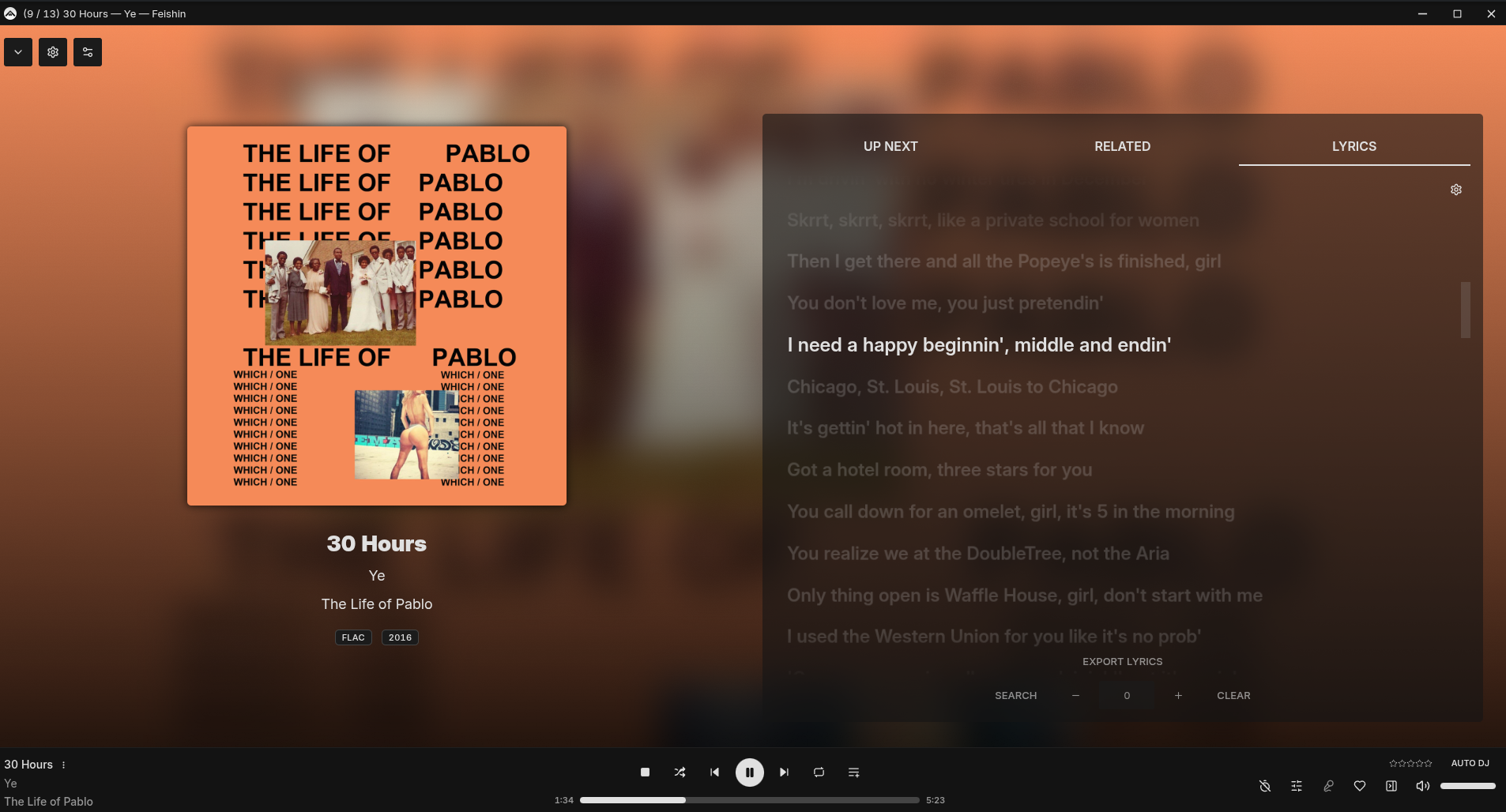
- Desktop: Feishin an Electron-based client with Subsonic/Navidrome support. Connects via the Subsonic API that Navidrome exposes natively.
- Mobile: Substreamer on iOS/Android, solid offline sync and gapless playback support.
Both authenticate against Navidrome using your server URL, username, and password.
Remote Access
Rather than playing around with the firewall (and accidentally locking myself out of my own VPS) or setting up a VPN server from scratch, I use Tailscale. Tailscale builds a WireGuard mesh network between your devices. Once the server and your phone/laptop are on the same Tailnet, you access Navidrome at its Tailscale IP the same way you would on LAN without forwarding ports or exposing services to the public internet.
curl -fsSL https://tailscale.com/install.sh | sh
sudo tailscale up
From there, your clients connect to http://<tailscale-ip>:4533 regardless of where you are.